Start a Mock Interview
From picking a job to the conversation to wrapping up with a report — run through the full flow of an AI mock interview.
AI Mock Interview lets you have a lifelike conversation with an AI interviewer on Web, recreating the real interview rhythm for your target job. Just pick the job, and the AI automatically gauges the difficulty, arranges the rounds, and follows up question by question; answer by voice or text throughout, and the moment you finish, it generates an interview report with scores and improvement suggestions. The whole flow happens in your browser — no client to install.
Before you start
A mock interview revolves around a "target job," so confirm these before starting:
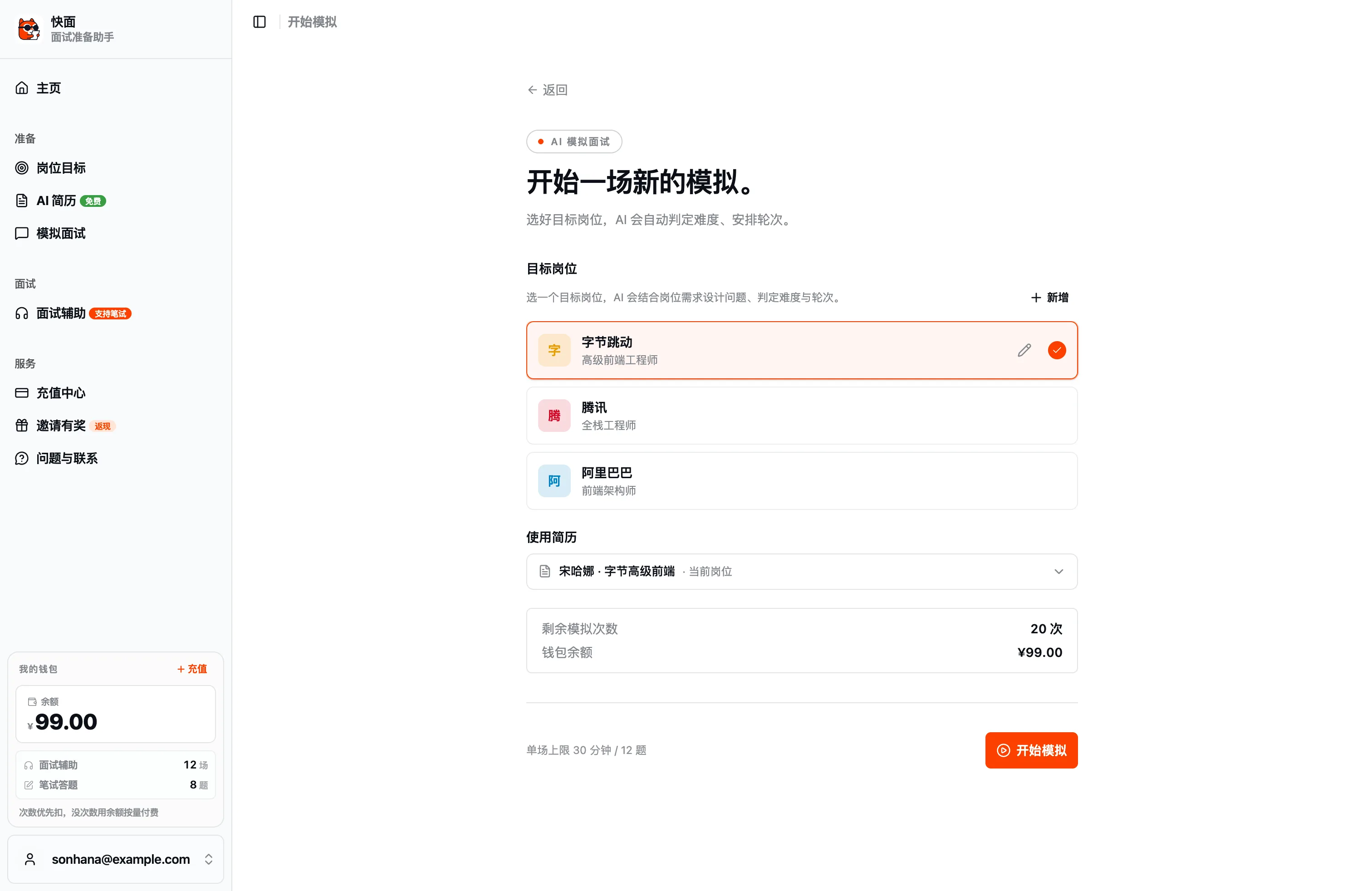
- A target job is created: The job determines the direction, difficulty, and rounds of the AI's questions. If you don't have one yet, create one in job management first (just paste the JD).
- Link a resume (optional): Pick a resume, and the AI will follow up on project details based on your real experience; leave it blank and it falls back automatically per the job's defaults.
- Remaining mock counts: Each mock deducts one count. If you're low, the page will guide you to top up.
Set up a mock
Go to "AI Mock Interview → Start Mock":
| Option | Notes |
|---|---|
| Target job | A job is auto-selected by default, and you can change it. The AI uses it to design questions and gauge difficulty and rounds |
| Use resume | Auto-linked or picked manually. Once selected, follow-ups align with your experience; leave blank for the automatic fallback |
Once everything checks out, click "Start Mock." A single session is capped at 30 minutes / 12 questions, and the AI paces itself within that range — you don't need to set the number of questions manually.
How the conversation goes
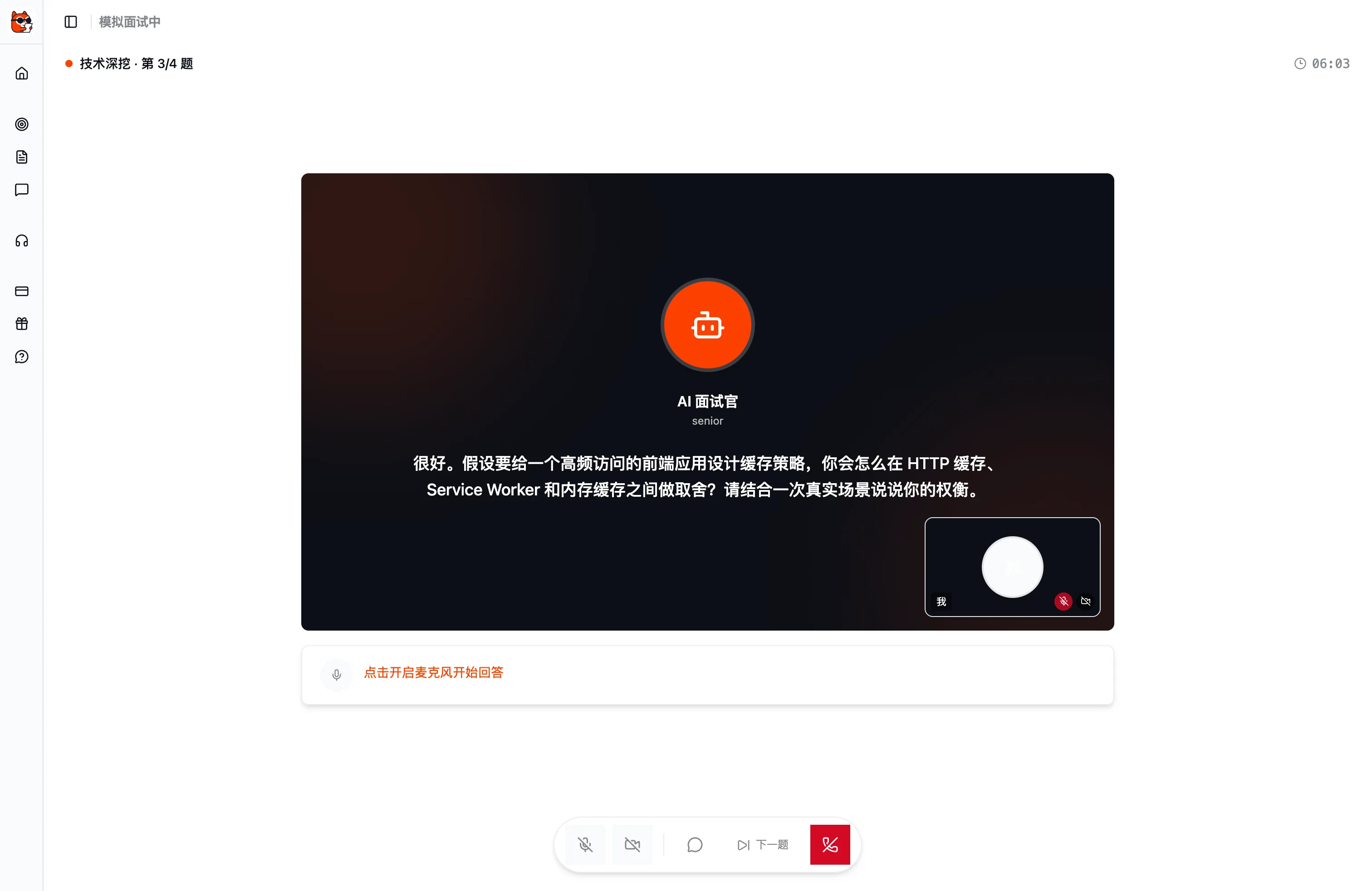
Once in the conversation, the AI interviewer opens like a real person, asks questions one by one, and follows up on the fly based on your answers. The AI's questions are read aloud in a lifelike voice (Volcano Doubao TTS) to feel closer to a real interview; once it finishes speaking, the mic auto-resumes so you can just reply. For every question, you can:
- Answer by voice: Turn on the mic and just talk — the system transcribes your answer in real time.
- Answer by text: Type your input, handy for places where speaking isn't convenient.
- See progress: The top shows the current round, overall progress, and an elapsed timer, so you know where you stand.
- Next question: Click "Next question" to move on once you've answered, and the AI also transitions naturally after a follow-up wraps up.
The conversation interface also offers mic and camera toggles; turning on the camera gives a picture-in-picture preview, so you can choose whether to appear on camera to match the feel of a real video interview.
Live transcript and conversation history
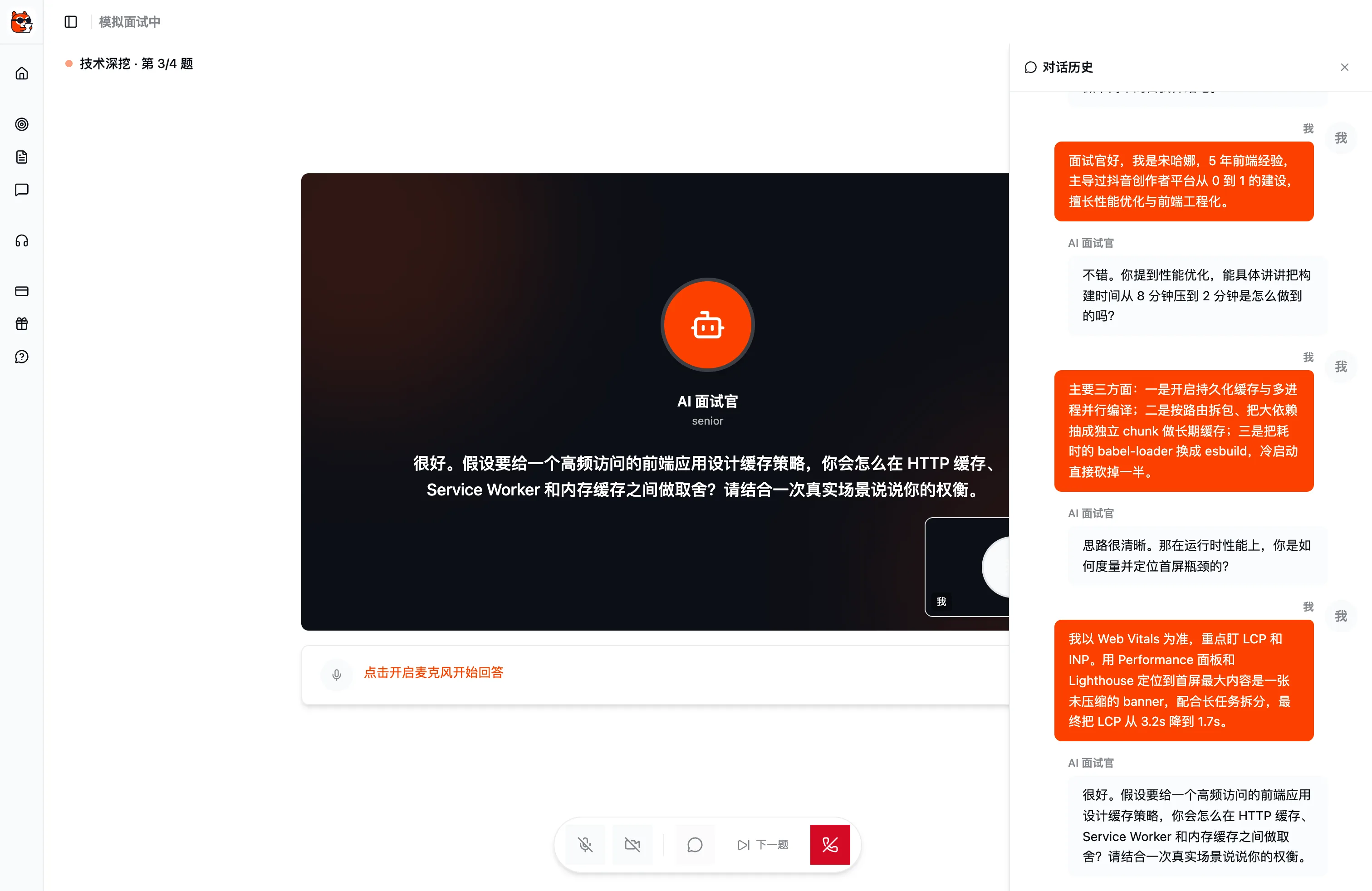
The whole conversation has a live transcript, syncing the AI's questions and your answers to text. Expand "conversation history" any time to look back at what was asked and how you answered — this record also carries over into the post-session report for question-by-question review.
Wrap up and generate the report
Finish all the rounds, or click "End" at any time to wrap up. Before ending, there's a second confirmation: an assessment report is generated immediately after ending, and the count deducted for this round is non-refundable. Confirm and wait a moment (about 15–30 seconds), and the report will be ready to view.
For how to read this report and iterate from it, see Reading Your Interview Report. To understand where mock interviews fit in your prep, see Core Concepts.