WEB · Works in your browser

AI Resume

Write a resume that gets read, tailored to the target role.

Once you pick a target role, AI breaks down your experience section by section against the JD: what to amplify, what to cut, and what merely says "responsible for" without a result. It gives not vague advice but click-to-accept rewrites — so every line matches the person this company wants.

Smart JD tailoringQuantified rewrite tipsReal-time quality scoring
Related articles

Open in your browser, no download needed
AI Resume

CAPABILITIES · Core features

What it does for you

One-click JD tailoring

Switch the target role and the resume's emphasis follows: skills, projects, and wording align to that JD automatically.

Quantified rewriting

Turn "responsible for backend dev" into "led a refactor that cut API P99 by 42%" — let results speak.

Real-time quality scoring

Completeness, match, and clarity scored item by item — click any to see how to improve.

Section-by-section suggestions

It won't rewrite blindly — it offers section-level diff suggestions; you decide what to accept.

Multi-version management

Derive multiple role-specific versions from one draft, kept separate for different companies.

Keyword coverage check

Compares against the JD's frequent keywords and flags missing hard skills, so you pass screening more reliably.

IN DEPTH · A closer look

Every detail serves one goal: matching the role

From modular editing to section-by-section AI rewriting, every part of the resume converges on your target role.

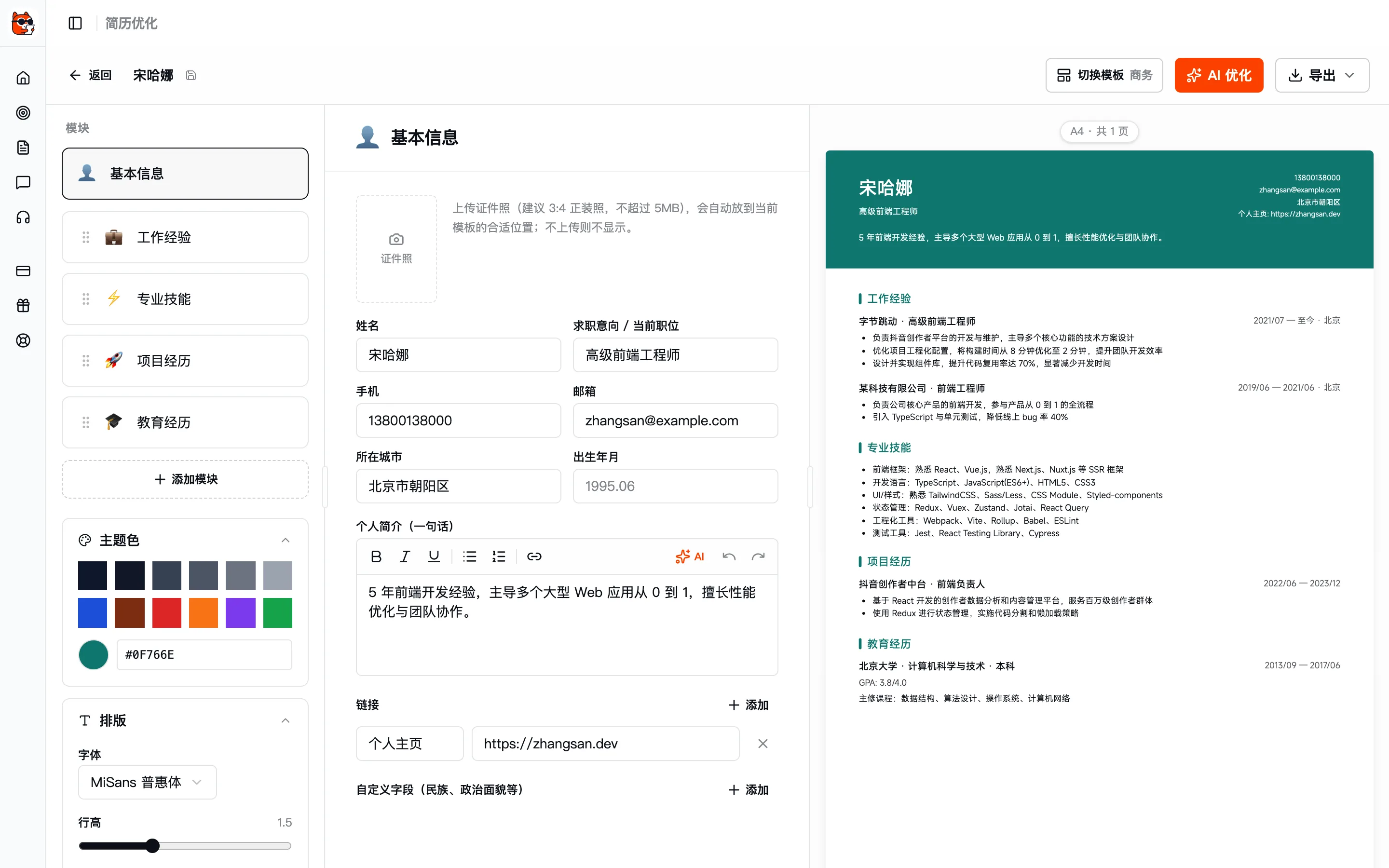
Modular editor

Fill in content on the left, watch the draft come together on the right

Edit basic info, work experience, skills and projects section by section, with the final layout rendered live on the right; adjust colors and typography on the fly, what you see is what you get.
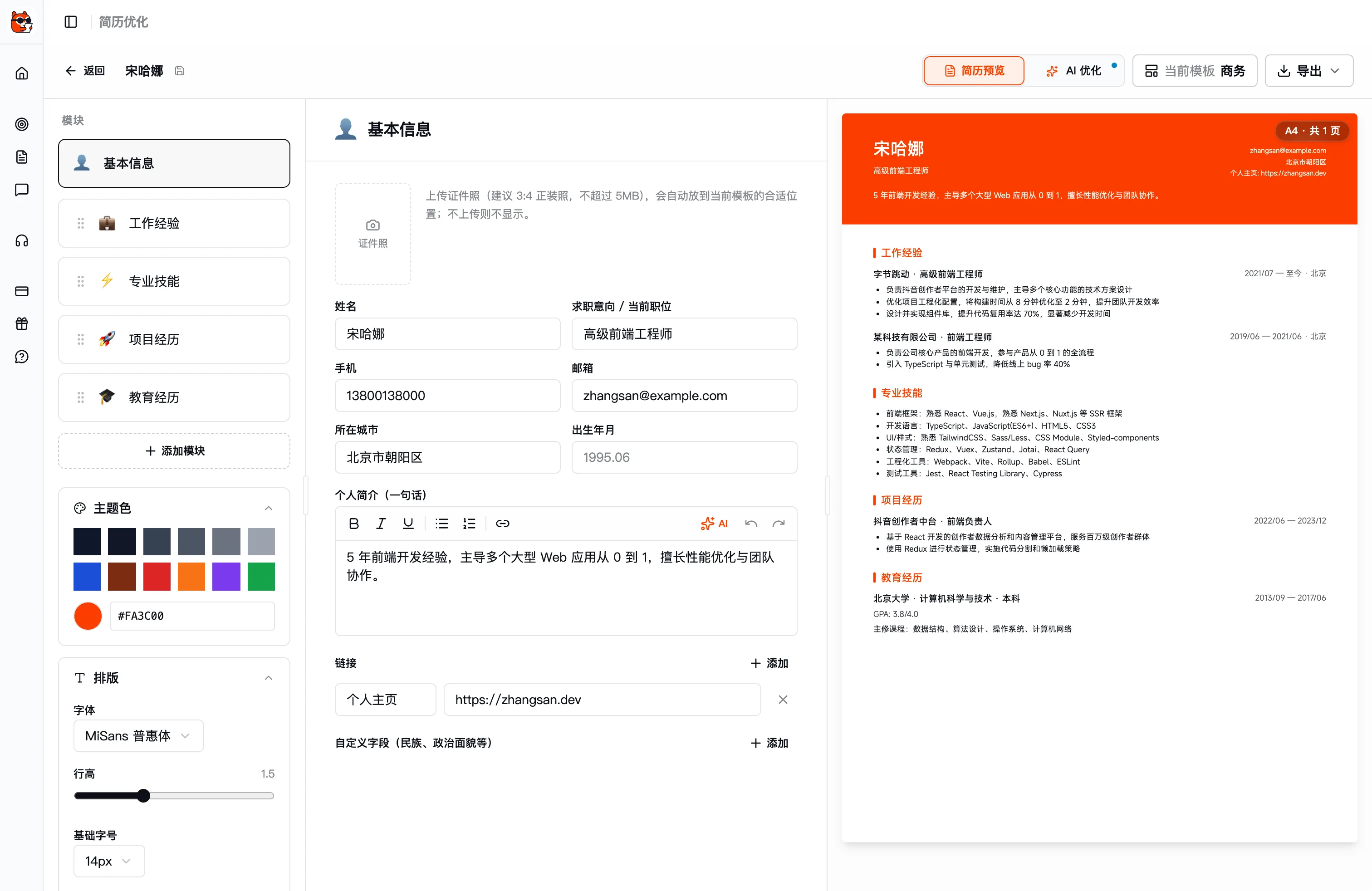
  • Add, remove and drag-reorder sections for a clear structure
  • Multiple color themes; switch font / line height / size in one tap
  • Live A4 preview on the right, so you know what you're exporting
web.kuaimianai.com/app/resume
Fill in content on the left, watch the draft come together on the right
Modular sectionsAI optimize entryLive preview of the final draft

AI optimize

One-tap polish, custom instruction, or target role: three rewrite modes to choose from

Open AI optimize to rewrite the whole resume or a single section: one-tap polish the overall wording, control it precisely with a custom instruction, or rewrite directly against the target role's JD.
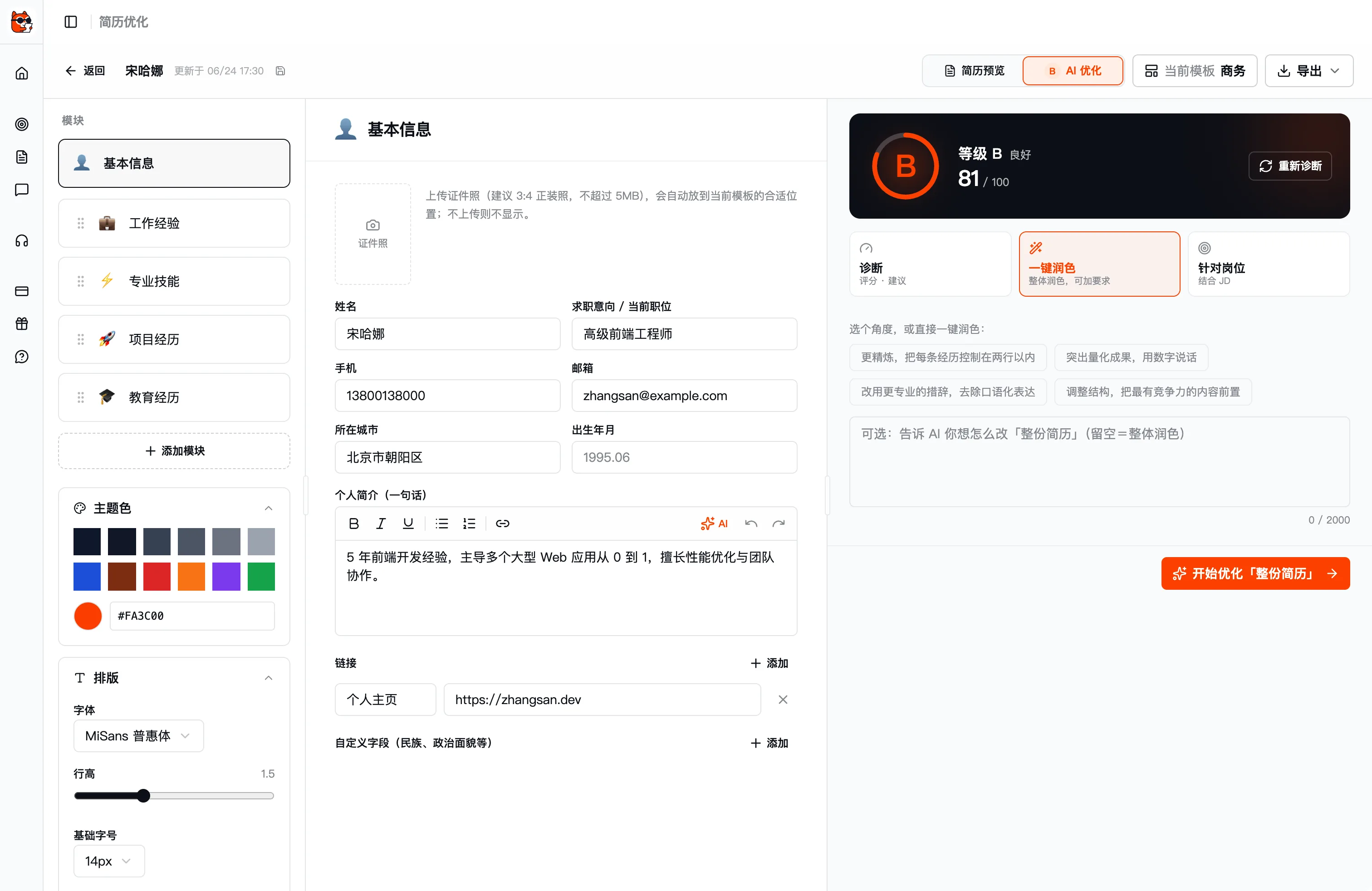
  • One-tap polish: refine the whole thing, start right away
  • Custom instruction: tell the AI how you want it changed
  • Target role: rewrite section by section against the target JD
  • Also offers quick angles like "highlight quantified results" and "adjust structure"
AI optimize · Whole resume
One-tap polish, custom instruction, or target role: three rewrite modes to choose from
One-tap polishTarget roleStart optimizing

Smart JD tailoring

Pick a target role and the resume moves toward the person this company wants

In "Target role" mode, pick a target role and the AI rewrites your experience against that role's JD: amplifying what's relevant, filling in keywords and adjusting wording so HR sees the match at a glance.
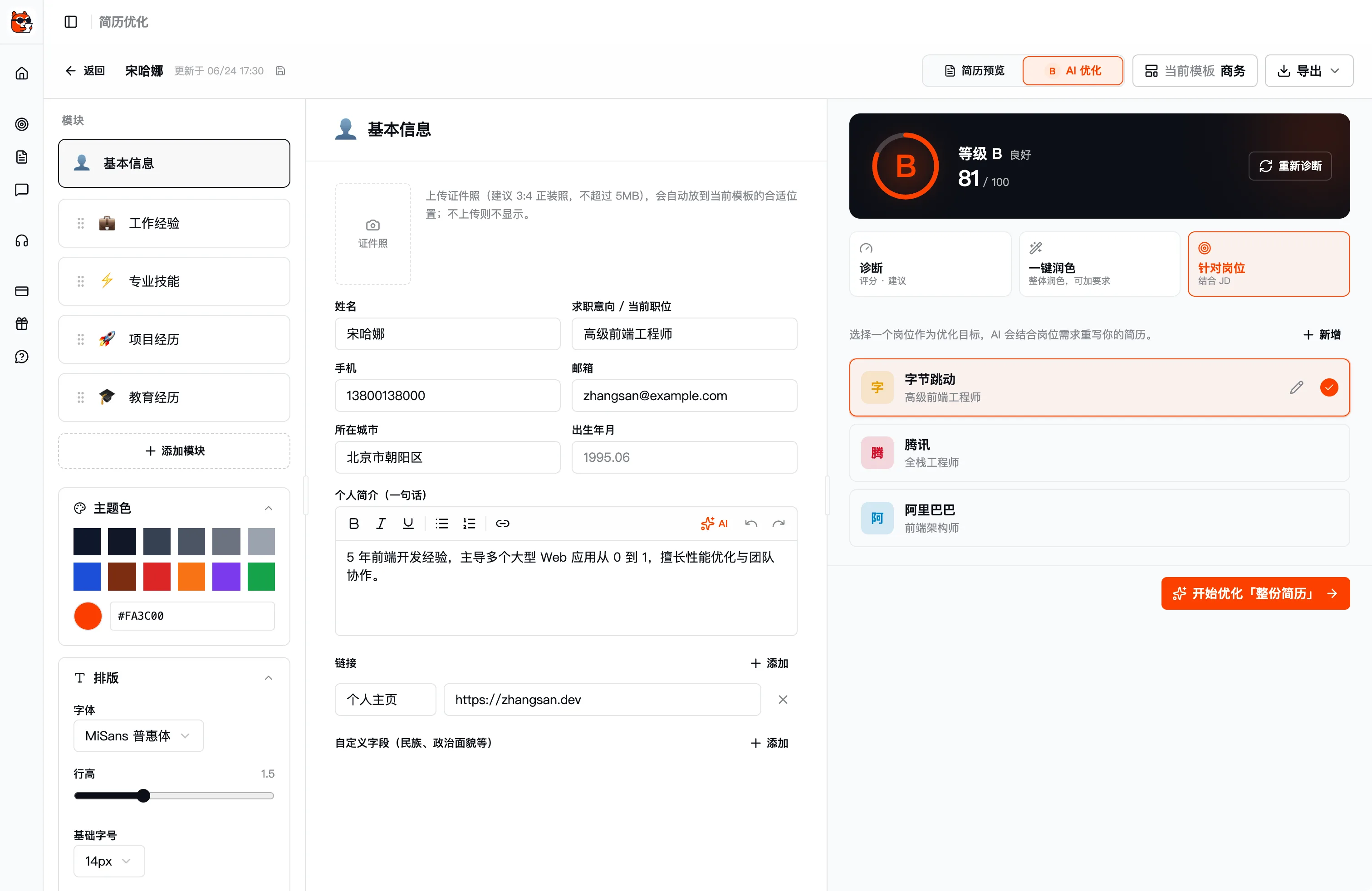
  • One master draft derives multiple role versions, each independent
  • Compares high-frequency JD keywords and flags missing hard skills
  • Every rewrite is a section-by-section suggestion; whether to accept is up to you
Target role · Select a target role
Pick a target role and the resume moves toward the person this company wants
Target-role modePick a target role

Section-by-section rewrite suggestions

It won't write for you blindly: it gives section-by-section suggestions, and whether to accept is up to you

When AI optimize finishes, it lists rewrite suggestions for each resume section: basic info, skills, work experience and projects, section by section; accept them one at a time or "apply all" at once, fully under your control.
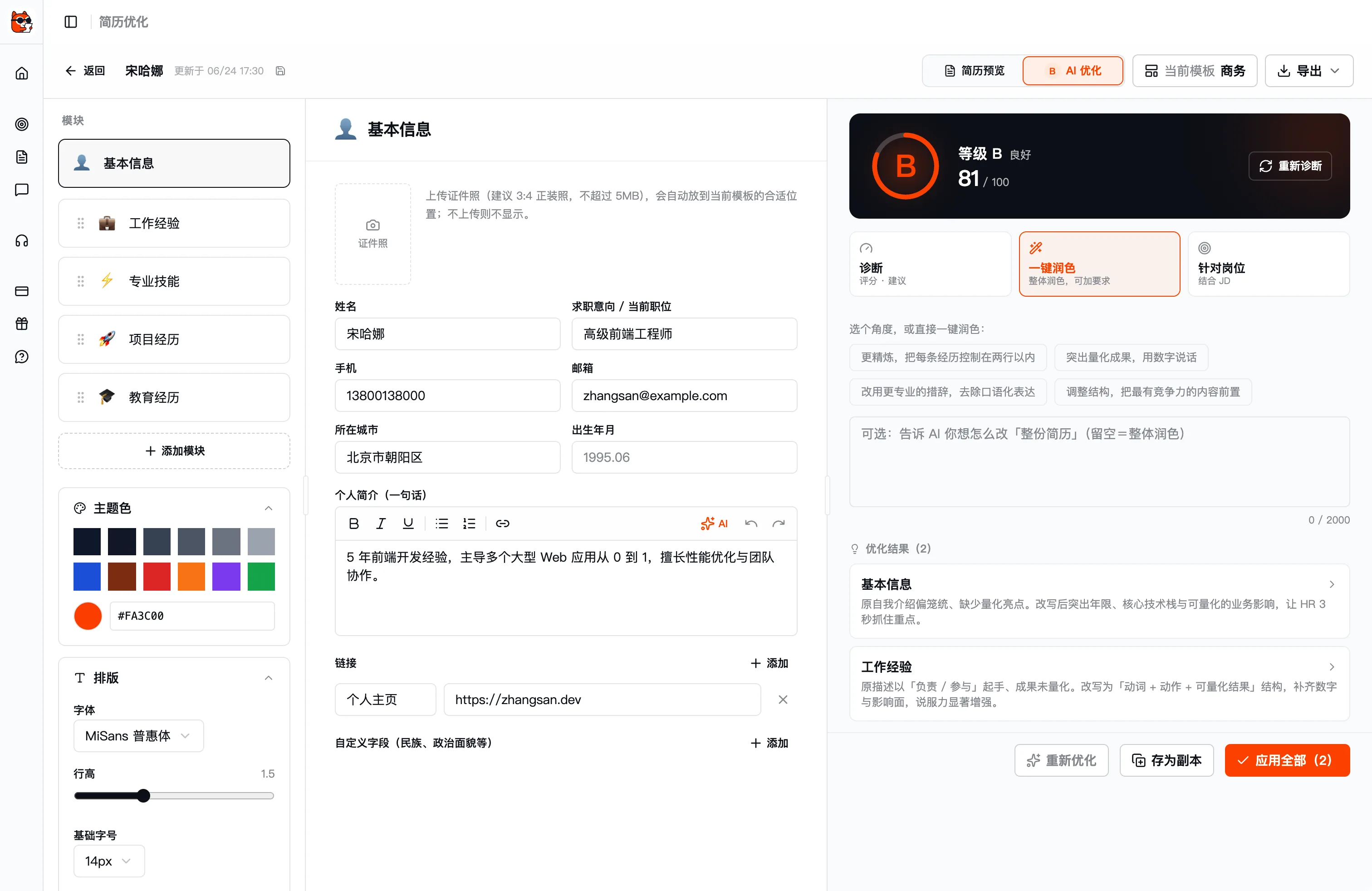
  • Lists results by section for side-by-side comparison
  • Accept one at a time or apply all at once
  • Turn "responsible for" into statements with quantified results
AI optimize · Results
It won't write for you blindly: it gives section-by-section suggestions, and whether to accept is up to you
Optimization resultsSection-by-section rewrite suggestionsApply all

HOW IT WORKS

Up and running in three steps

1

Import your experience

Upload an old resume or fill it in; AI structures your experience automatically.

2

Pick a target role

Paste a JD or pick a role; AI maps the gaps and proposes rewrites.

3

Accept and export

Confirm suggestions item by item and export a finished resume tailored to that role.

Unlimited resume versions
Free
Free AI resume use
Per section
Click-in to edit

FAQ · Frequently asked questions

FAQ about "AI Resume"

Have other questions? Email us at hello@kuaimianai.com

Can I use it without an existing resume?
Yes. Kuaimian lets you fill in your experience directly and structures it into a resume automatically; you can also upload an old resume (PDF / Word) for AI to parse and optimize.
Can one resume produce multiple versions for different roles?
Yes. Start from one base draft and paste different job descriptions to derive tailored versions — applications to different companies stay independent.
Will the AI fabricate experience for me?
No. The AI only refines wording, rewrites for quantified impact, and adjusts emphasis on experience you already have, giving per-section suggestions you choose to accept or not.

Ready?
For your next interview, use Kuaimian

Start free: try resume optimization and mock interviews to get a feel for how the AI responds, then decide whether to top up on interview assistance.