Screenshot to read the question
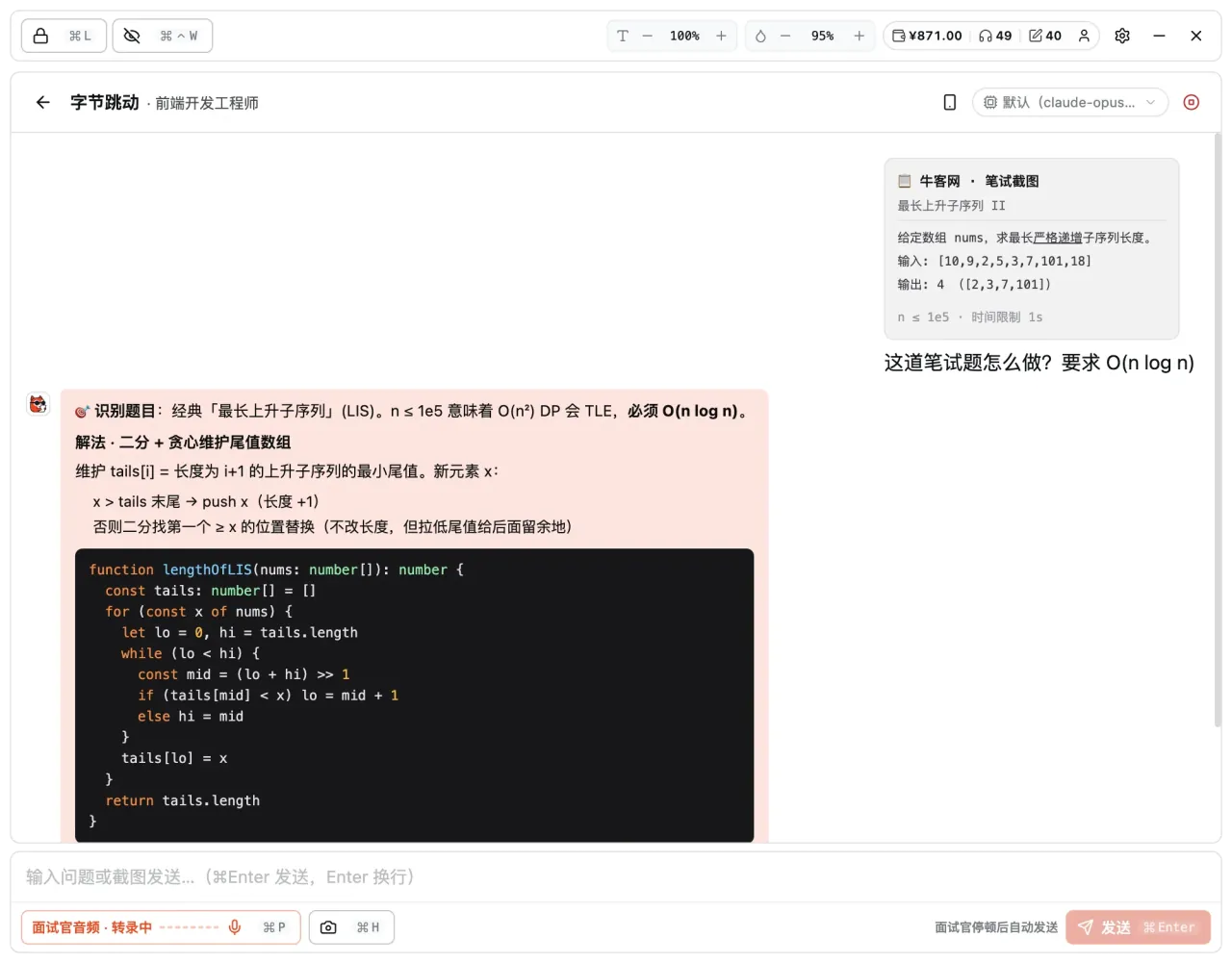
Box-select or capture the full screen; AI OCRs the prompt and understands the I/O and constraints.
Online coding tests — solution ideas and code in seconds.
Stuck on a coding-test question? Just screenshot it. AI reads the prompt, breaks down the solution steps, generates reference code in the right language, and annotates complexity — all side by side in three columns. Everything runs locally; the original question text is never sent out.
Supports macOS 12+ · Windows 10/11 · Linux
CAPABILITIES · Core features
Box-select or capture the full screen; AI OCRs the prompt and understands the I/O and constraints.
Approach first, then code: from brute force to optimal, explaining the why.
JS / TS / Python / Java / C++ / Go / Rust — pick your exam language.
Gives time / space complexity so you know whether the solution scales to the input size.
A three-column layout so you read the approach while copying the key code — no flipping back and forth.
Recognition runs locally — the original question text is never sent out, for peace of mind.
IN DEPTH · A closer look
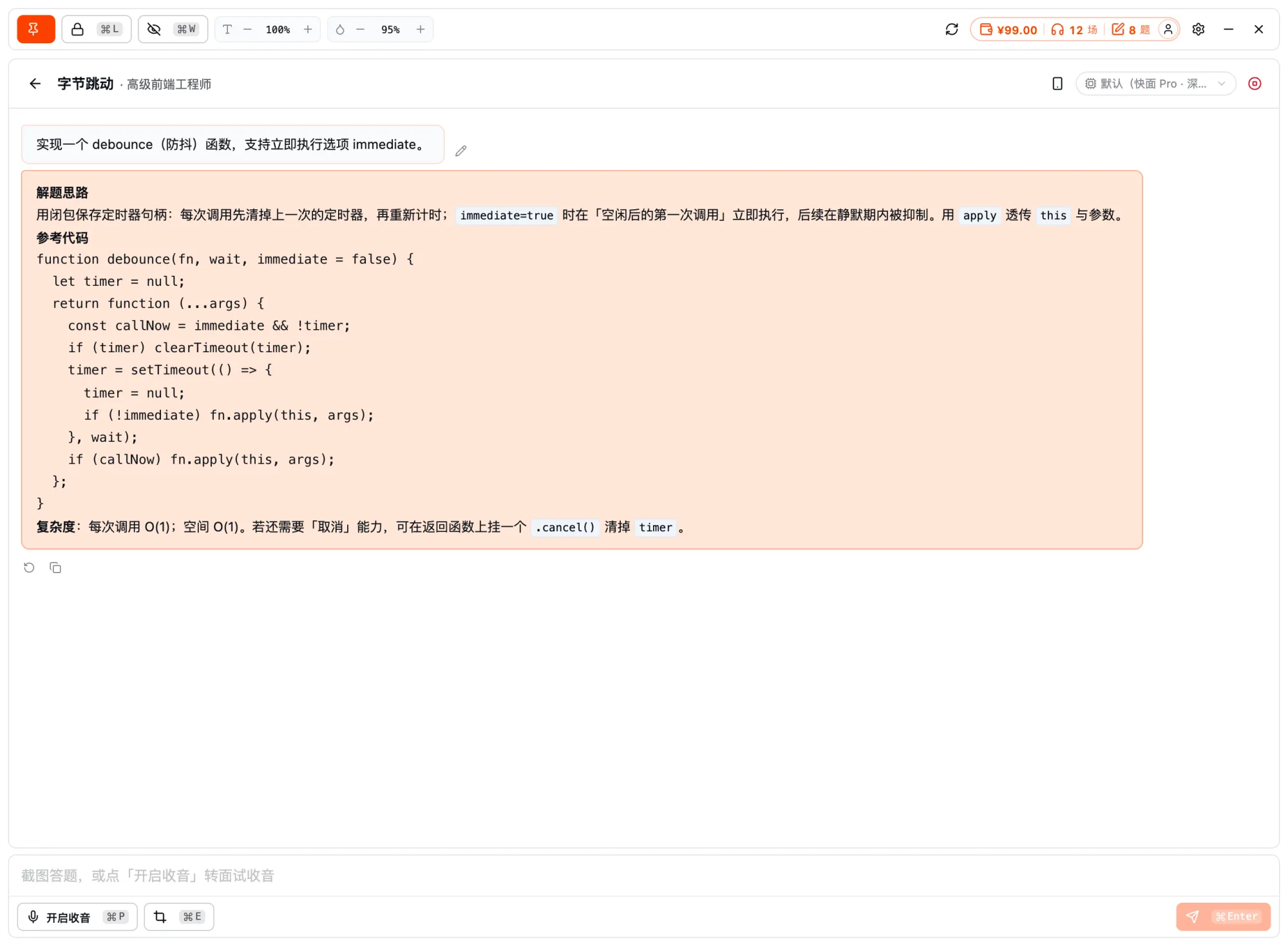
OCR reads the question → breaks down the solution steps → generates reference code in multiple languages with complexity noted — approach and code in one go.
Screenshot recognition
Stuck on a coding-test question? Just press ⌘E to screenshot it. The AI auto-OCRs the question, understands the I/O and constraints, first explains what it read and the approach, then gives reference code in the right language — no need to retype the question.
Reference code in many languages
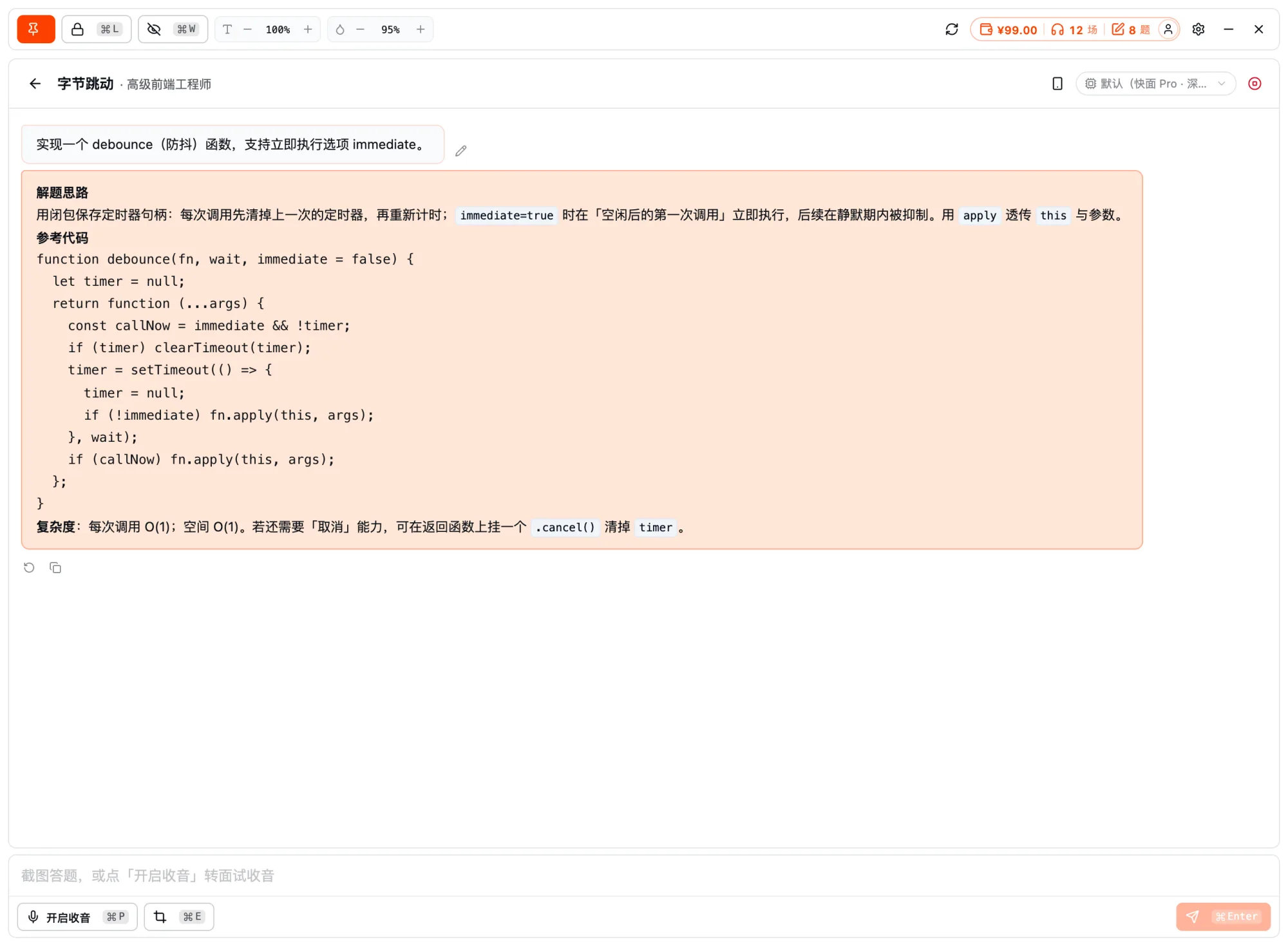
The AI generates reference code in the right language and marks time / space complexity so you know whether the solution clears the input size; approach, code and complexity sit side by side in three columns, so you can read the approach while transcribing the key implementation without flipping back and forth.
HOW IT WORKS
Hit a hard one — one screenshot and AI reads the prompt automatically.
Solution steps, reference code, and complexity, given together in three columns.
Understand the approach, then write the key implementation to clear the input size.
MORE · Other features
FAQ · Frequently asked questions
Have other questions? Email us at hello@kuaimianai.com
Start free: try resume optimization and mock interviews to get a feel for how the AI responds, then decide whether to top up on interview assistance.