System audio capture
Captures the interviewer's audio directly without grabbing your interview software's mic or interrupting the call.
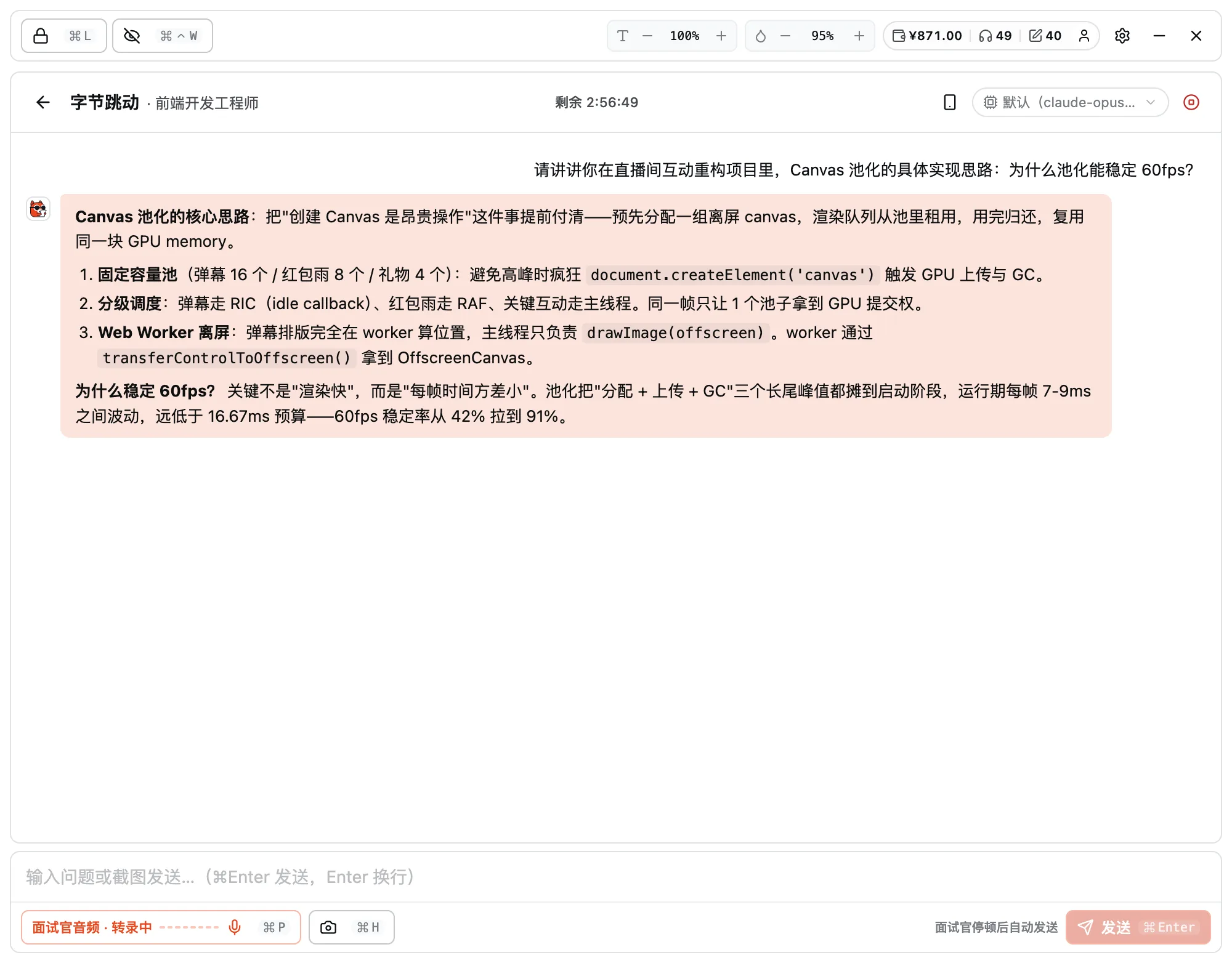
During the real interview, AI sits right beside you.
Keep the client running during a video interview: it captures the interviewer's audio, recognizes it locally, and puts answer ideas on your screen in seconds. The window docks to the screen edge with adjustable opacity and stays invisible to screen sharing and recording at the OS level — even sharing your whole screen, neither the interviewer nor the recording sees it.
Supports macOS 12+ · Windows 10/11 · Linux
CAPABILITIES · Core features
Captures the interviewer's audio directly without grabbing your interview software's mic or interrupting the call.
OS-level capture protection: the assist window stays invisible even when sharing your whole screen or in recordings.
The moment they stop speaking, the approach, keywords, and opening line are on your screen.
Answers built around your resume and target JD, true to your own experience.
Understands and answers foreign-language interviews in Chinese / English / Japanese / Korean and more.
The window docks to the screen edge with adjustable opacity — a glance is enough, never blocking your view.
IN DEPTH · A closer look
System-audio capture + real-time cloud recognition + answer ideas in seconds, with system-level stealth from screen sharing and recording.
Live listening, instant answers
The client captures the interviewer's system audio directly and transcribes it in the cloud in real time, turning what it hears into "answer ideas + keywords + a one-line opener" within seconds, then answers from your resume and target JD — tailored to your own experience, not generic textbook answers.
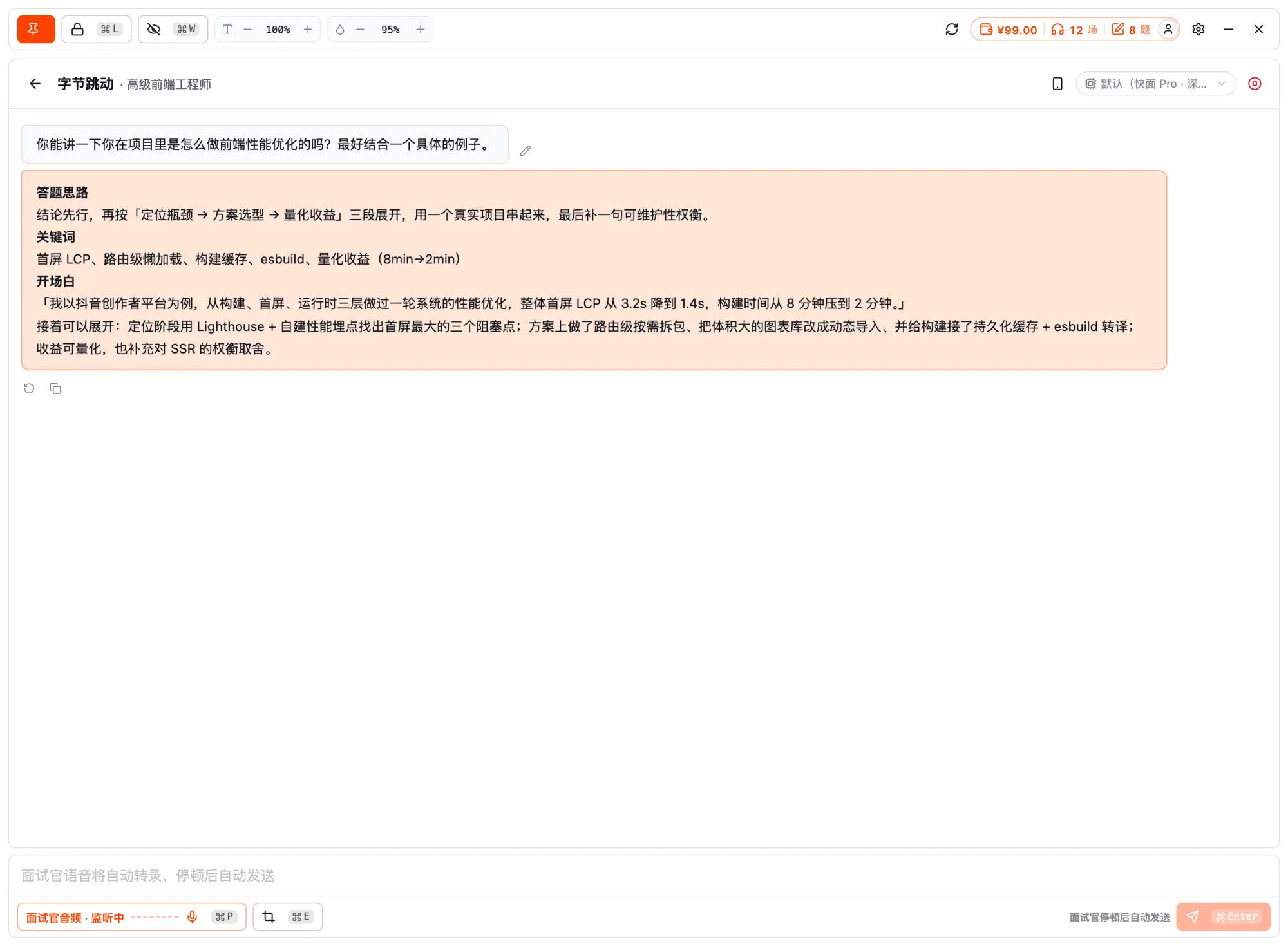
System-level invisibility
A frameless, transparent window docks to the screen edge with adjustable opacity, so a quick glance is enough; it blocks capture at the system level for screen sharing and recording, so even if you share your whole screen, it won't appear in the interviewer's view or the recording.
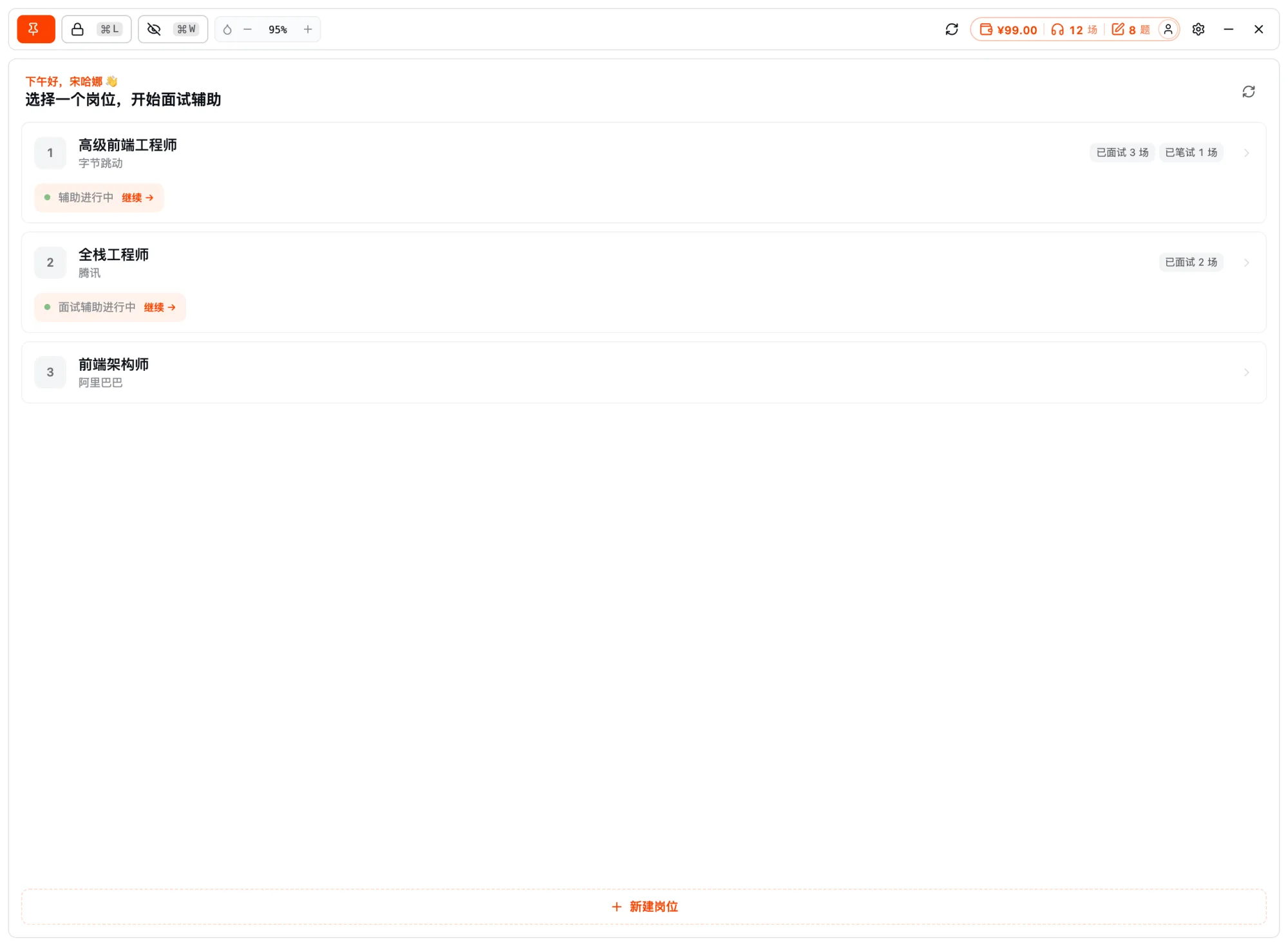
HOW IT WORKS
Open it before the interview, dock it to the edge, and set the opacity.
It captures questions, recognizes them locally, and gives answer ideas in seconds.
Glance at the prompts to compose your answer — invisible to screen sharing throughout.
MORE · Other features
FAQ · Frequently asked questions
Have other questions? Email us at hello@kuaimianai.com
Start free: try resume optimization and mock interviews to get a feel for how the AI responds, then decide whether to top up on interview assistance.