Beat the ATS: A Practical Checklist for Keywords and Formatting
Many resumes get filtered out by the ATS (applicant tracking system) before a human ever sees them. A practical checklist on keyword matching, formatting pitfalls, and file choices to help your resume clear the machine first.
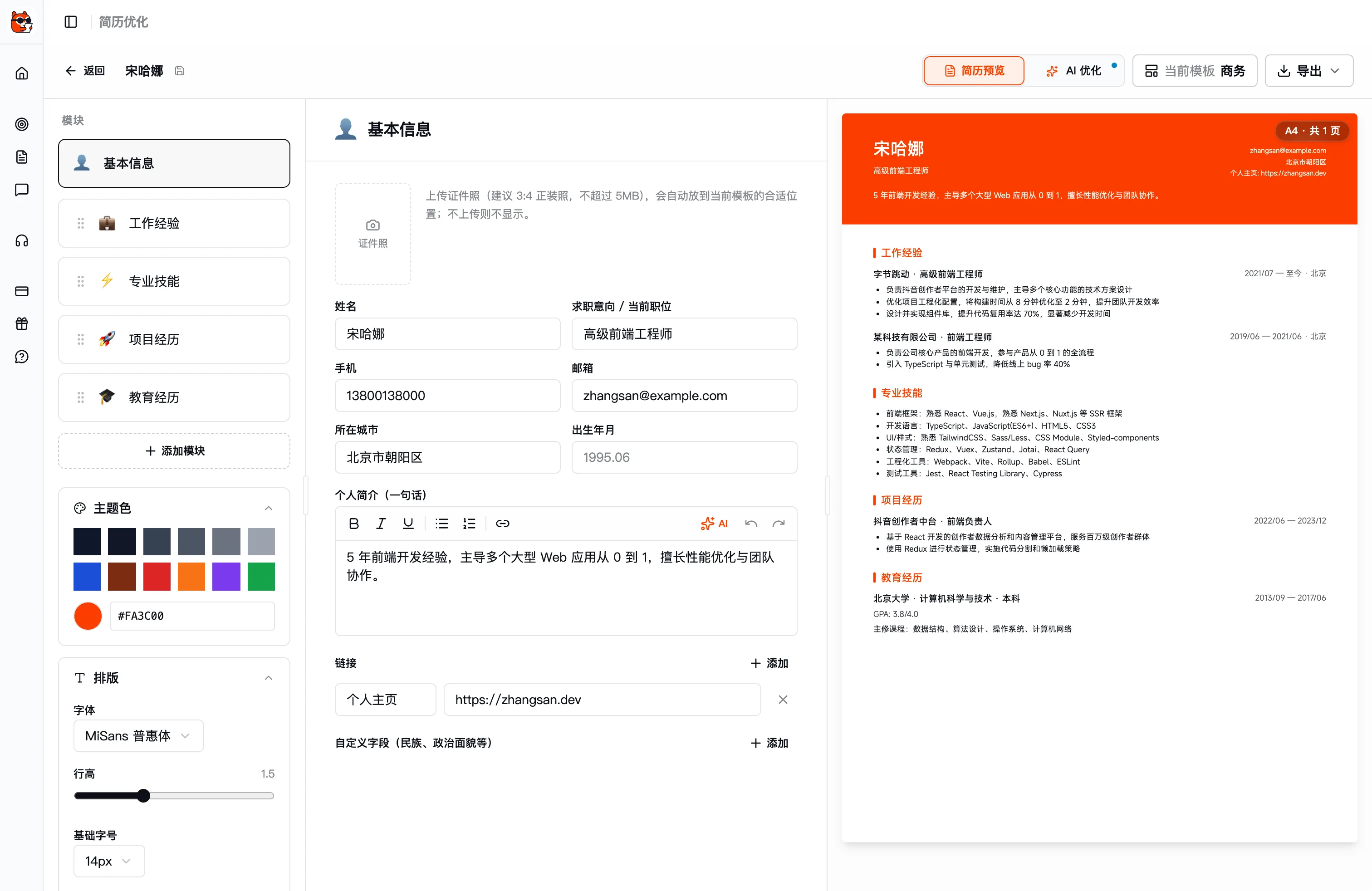
The first reader of the resume you send out may not be a person—it may be an ATS (Applicant Tracking System). It scores and filters resumes by keyword and structure first, and only those that pass get pushed in front of recruiters. So a resume that's "carefully written but unreadable to a machine" may never even get the chance to be seen by a human. Here's a practical checklist to get your resume safely through the ATS.
What Is the ATS Actually Looking At
The logic of an ATS isn't that mysterious—it comes down to two things:
- Can it parse your resume correctly—reading your text, experience, and skills accurately into structured data.
- How well does it match the JD—whether the key skill terms from the job description appear in your resume.
So there are only two directions for optimization: make it machine-readable (formatting) and make it match (keywords).
Keyword Checklist
1. Mine keywords from the JD
Open the target role's job description and pull out the hard skill terms that recur (such as Kubernetes, data analysis, A/B testing, Spring Boot) and the responsibility verbs, then make sure they appear naturally in your resume. The machine does literal matching—if you write "container orchestration" while the JD says "Kubernetes," it may not match.
2. Write out both the full term and the acronym once
On first use, write it as "search engine optimization (SEO)"—the "full term (acronym)" format—so both searches hit.
3. Grow keywords inside your experience, don't pile them in a corner
Embed skill terms into specific work/project descriptions ("used Redis for hot-data caching, tripling QPS") rather than dumping them in a standalone "skills wall" stuffed with nouns. The former clears the machine and reads as credible to a human.
4. Don't get clever with "white-text keyword stuffing"
Hidden white keywords crammed into a resume can be detected by modern ATS, and getting caught means instant elimination. Honestly writing your relevant skills into real experiences is the right path.
Formatting Pitfalls Checklist
ATS parsing is limited, so avoid these "pretty but machine-unreadable" designs:
| ❌ Easy to mis-parse | ✅ Safe approach |
|---|---|
| Putting info in tables / text boxes / columns | Use a single column, plain paragraphs, and lists |
| Making key info into images / icons | Use real, selectable text |
| Putting name and phone in the header/footer | Put contact info at the top of the body |
| Fancy special-character bullets | Use a standard dot • or dash - |
| Unusual fonts | Use a common sans-serif font |
| Invented section labels like "Career Journey" | Use standard headings: Work Experience / Education / Skills |
Format and File Name
- Prefer PDF unless the JD explicitly requires Word. When exporting, confirm the text can be selected and copied (not a scanned image).
- Use a clear file name like "Name-Role-Resume.pdf" so recruiters can file and search it easily.
- Use standard section headings so the ATS can categorize each block correctly.
Let AI Align Your Resume to the JD
Cross-referencing the JD word by word for keywords and checking that every section covers them is tedious work that's easy to slip up on. Kuaimian's AI Resume includes AI Optimization and JD Matching: once you pick a target role, it goes through your resume section by section against that role's JD with rewrite suggestions, automatically fills in missing keywords, highlights relevant experience, and even steers you clear of the formatting pitfalls above—essentially letting a machine pre-screen you against the machine's own standard.
Beating the ATS isn't gaming the system—it's presenting your real abilities truthfully, in a way the hiring system can understand. Clear the machine first, then win over the human.
Ready?
For your next interview, use Kuaimian
Start free: try resume optimization and mock interviews to get a feel for how the AI responds, then decide whether to top up on interview assistance.