Resume OptimizationTutorial
How to Build a Resume That Matches Your Target Role with Kuaimian
从零到导出,跟着这四步走一遍,你就能得到一份针对目标岗位优化过的简历。
Kuaimian Team··1 min read
A great resume isn't written for every company — it's tailored to one target role. Here's the full flow with Kuaimian's AI Resume, from scratch to export.
Step-by-step
1
新建或导入简历
进入「简历管理」,上传已有简历(PDF / Word / txt,≤10MB)让 AI 解析,或用「一句话生成简历」让 AI 扩写、再挑套模板。没有现成简历也没关系,直接填经历即可。
- 支持上传旧简历自动解析
- 或一句话生成 / 从模板新建
- 多份简历集中管理
web.kuaimianai.com/app/resume
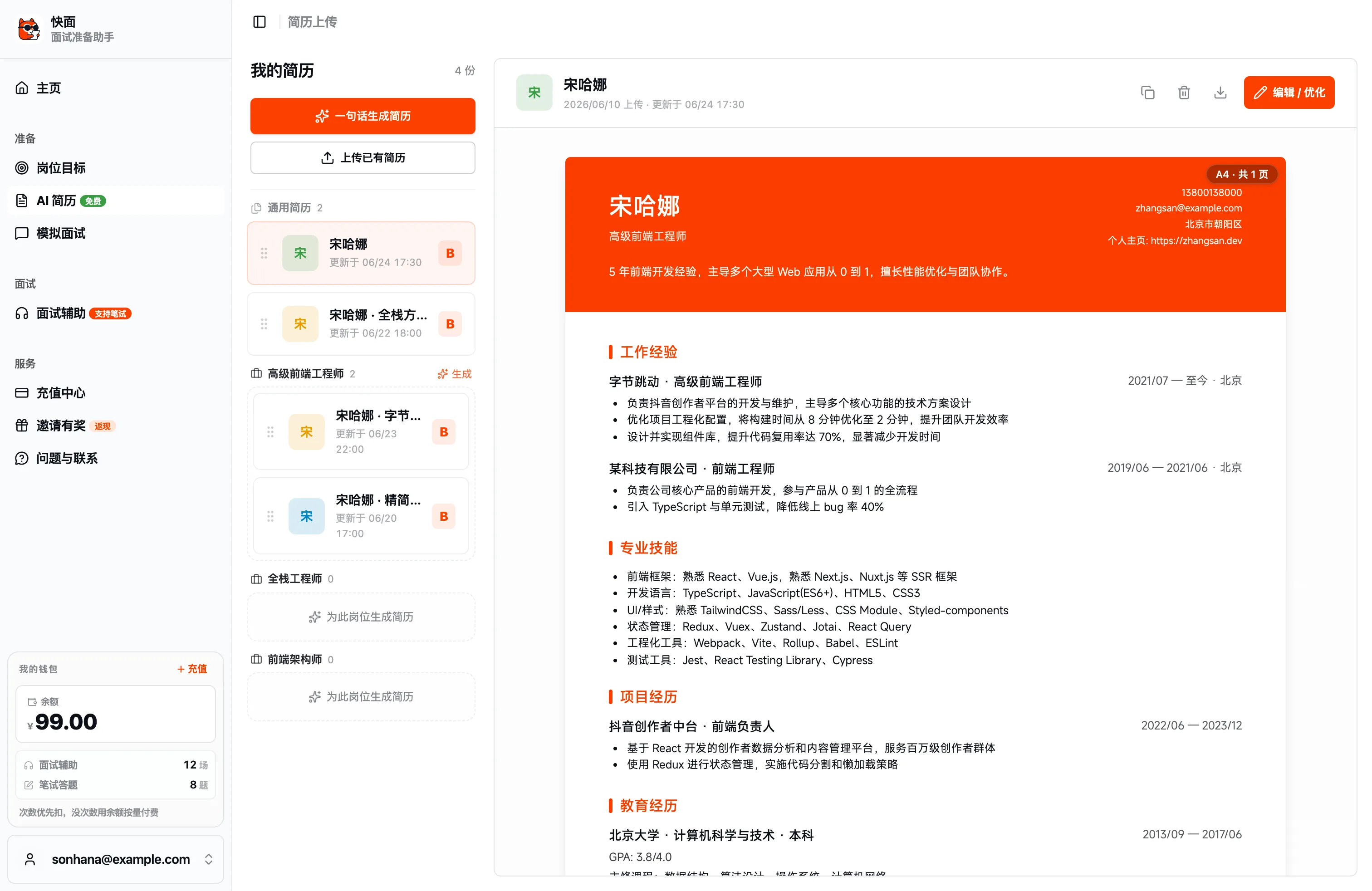
一句话生成上传已有简历编辑 / 优化
2
逐模块完善内容
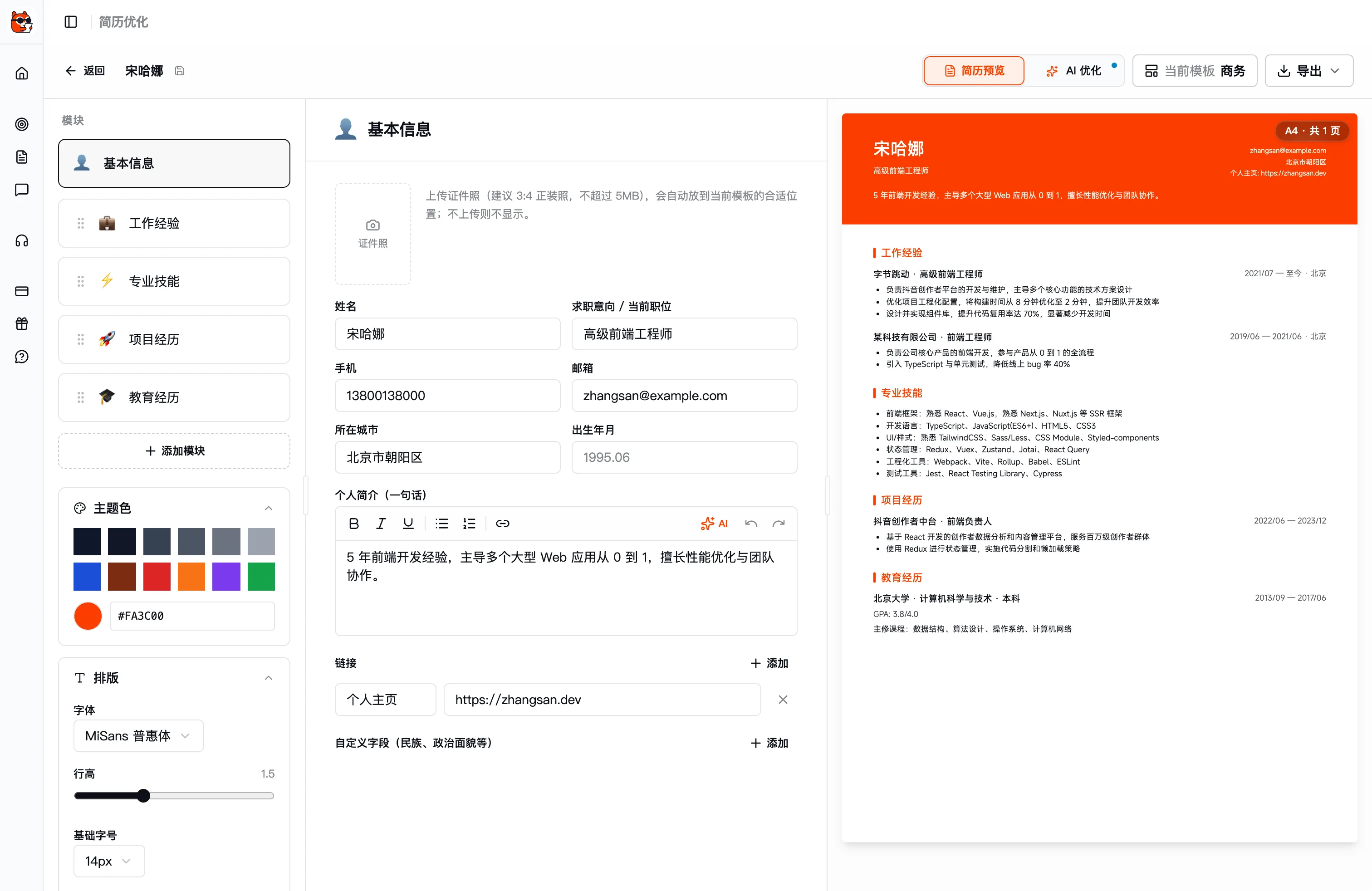
在编辑器里逐块填写基本信息、工作经历、专业技能与项目经历;右侧实时预览成稿,随时调整主题色与排版。
- 模块可拖拽排序
- 主题色 / 字体 / 行高随手调
- 右侧 A4 实时预览
简历编辑器
逐模块编辑实时预览
3
选目标岗位,让 AI 针对性重写
点「AI 优化」选「针对岗位」,选定一个目标岗位。AI 会对照该岗位 JD 逐段给出重写建议,放大相关经历、补齐关键词。
- 对照 JD 调重点、改表述
- 突出量化成果
- 逐段 diff,可单条采纳
AI 优化 · 针对岗位
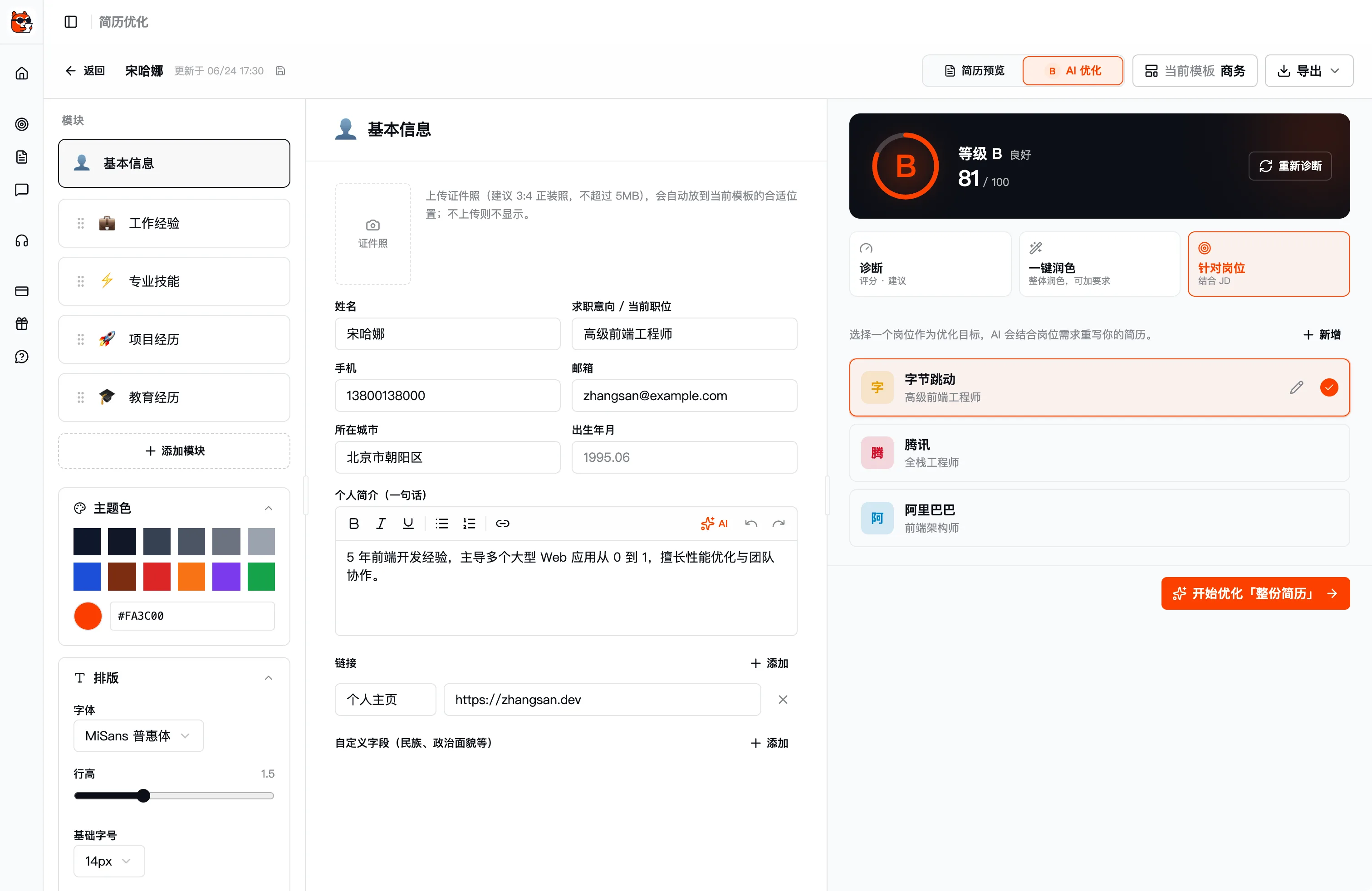
Target role选岗位
4
采纳建议并导出
逐条确认 AI 的改写建议,满意后一键导出(PDF / JPG / Markdown / JSON,或直接打印)。需要投另一家公司时,换个目标岗位再优化一版即可。
- 逐条采纳 / 忽略
- 一键导出 PDF / JPG / Markdown / JSON
- 换岗位即派生新版本
AI optimize · Whole resume
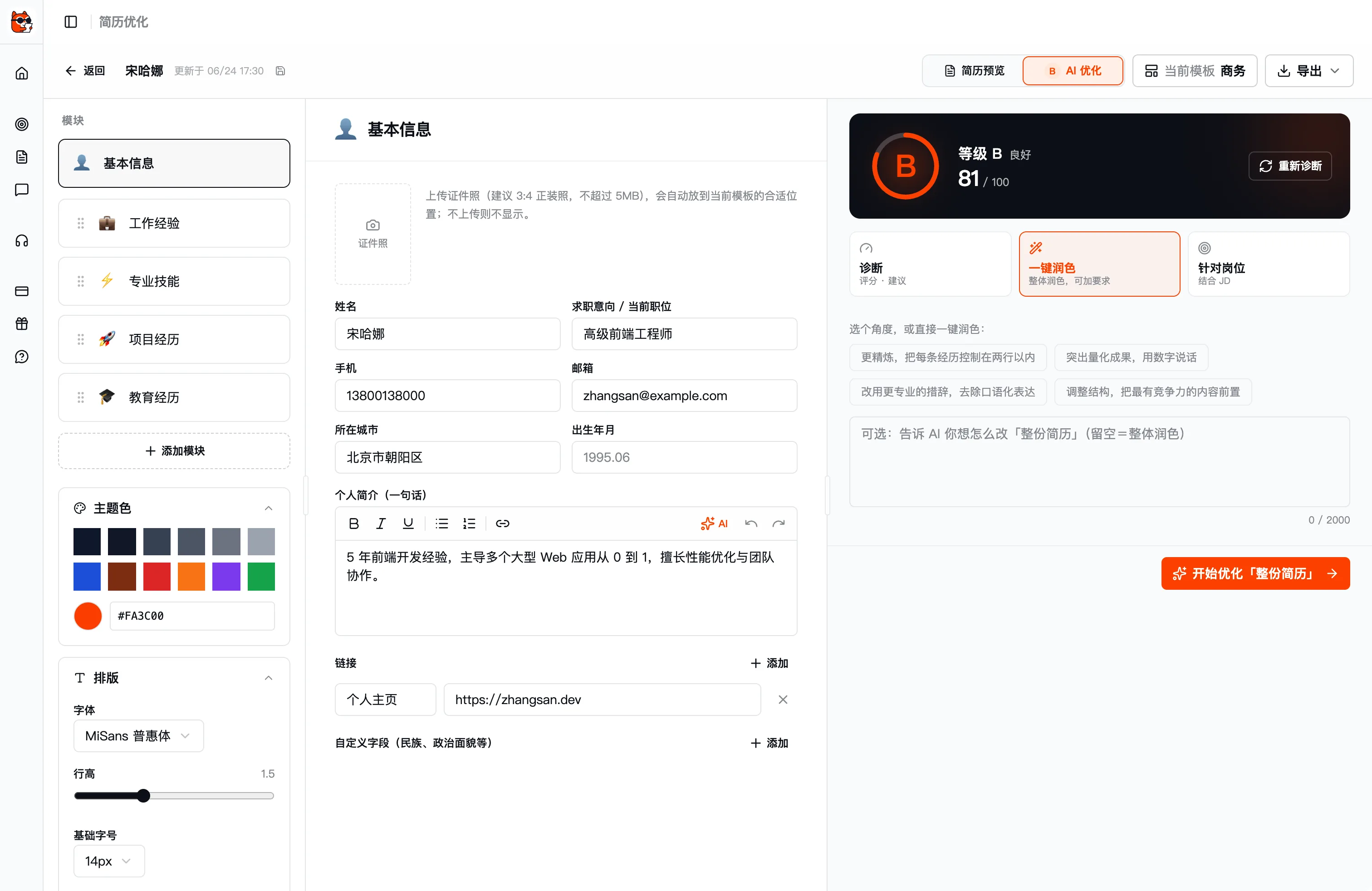
开始优化
全程免费畅用,简历版本不限——针对每家目标公司,都值得单独优化一版。
FAQ · Frequently asked questions
FAQ
Have other questions? Email us at hello@kuaimianai.com
Can I use it without an existing resume?
Yes. Kuaimian lets you fill in your experience directly and structures it into a resume automatically; you can also upload an old resume (PDF / Word) for AI to parse and optimize.
Can one resume produce multiple versions for different roles?
Yes. Start from one base draft and paste different job descriptions to derive tailored versions — applications to different companies stay independent.
Will the AI fabricate experience for me?
No. The AI only refines wording, rewrites for quantified impact, and adjusts emphasis on experience you already have, giving per-section suggestions you choose to accept or not.
Ready?
For your next interview, use Kuaimian
Start free: try resume optimization and mock interviews to get a feel for how the AI responds, then decide whether to top up on interview assistance.