Interview CopilotInterview TipsTutorial
How to Get Real-Time Interview Assistance in a Live Interview with Kuaimian
下载客户端、选岗、挂起悬浮窗——跟着这三步,真面试时 AI 就坐在你身边。
Kuaimian Team··1 min read
Freezing up in a live video interview is completely normal. Kuaimian Interview Copilot works quietly at the edge of your screen — listening in real time, surfacing talking points in seconds, and staying invisible to screen sharing and recording.
Step-by-step
1
打开客户端,选目标岗位
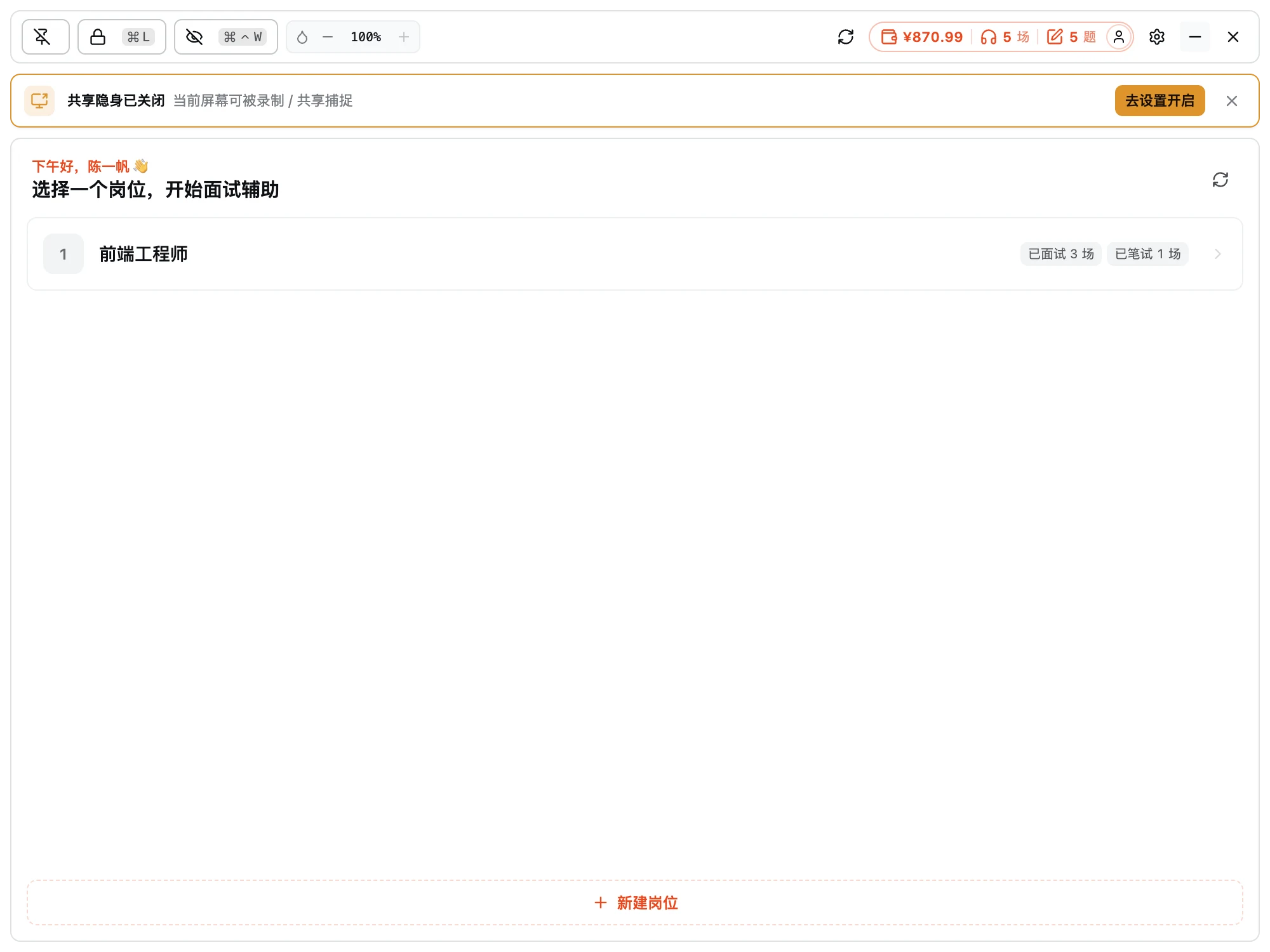
面试开始前打开桌面客户端,选一个目标岗位作为辅助基准。先到设置里开启「共享隐身」,确保共享 / 录屏拍不到辅助窗口。
- 选目标岗位,AI 结合简历 + JD 作答
- 开启共享隐身
- 调好窗口透明度与贴边位置
Interview assist · Pick a role to start
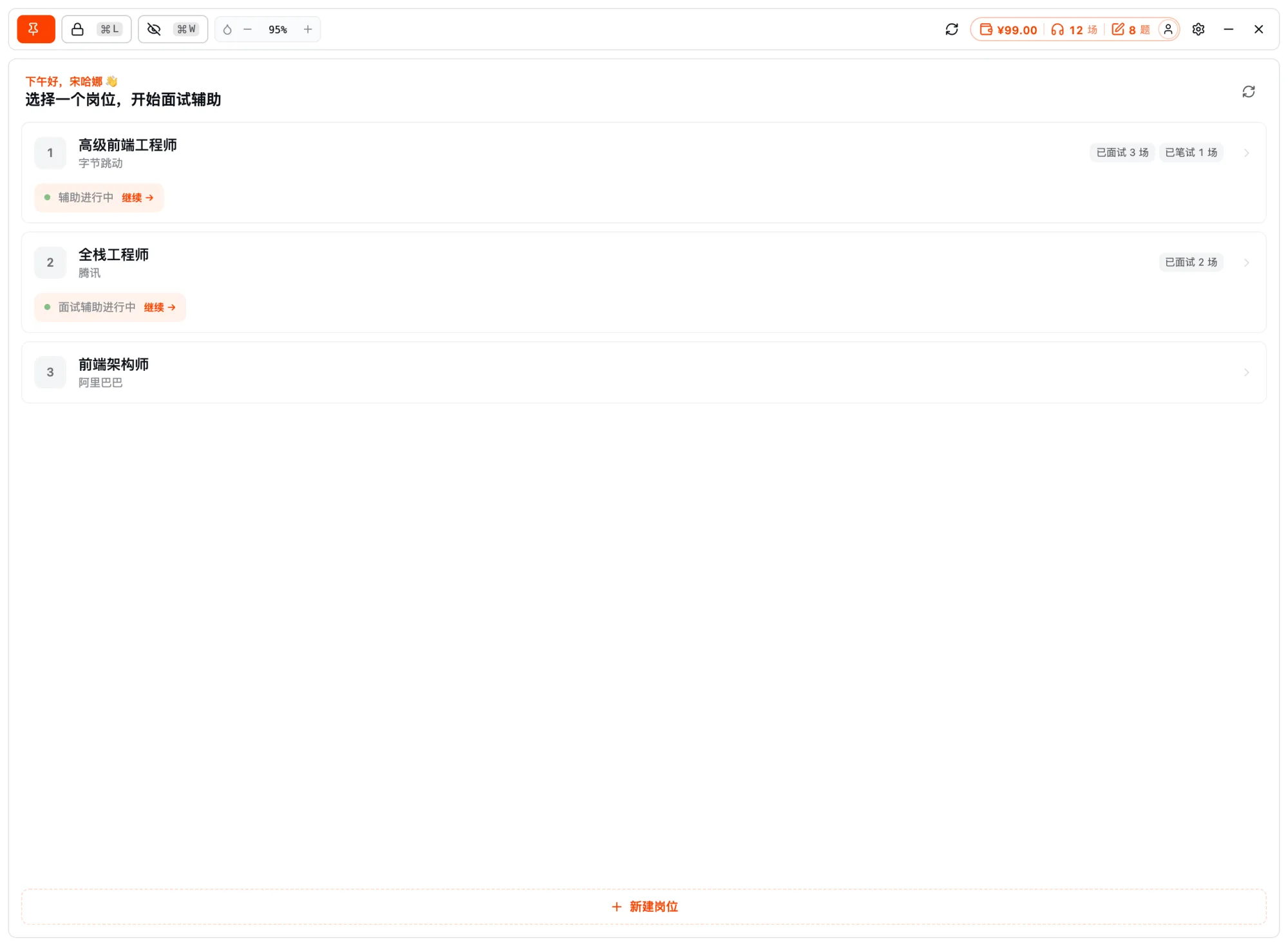
开启共享隐身Pick a target role
2
面试中,AI 实时听题给思路
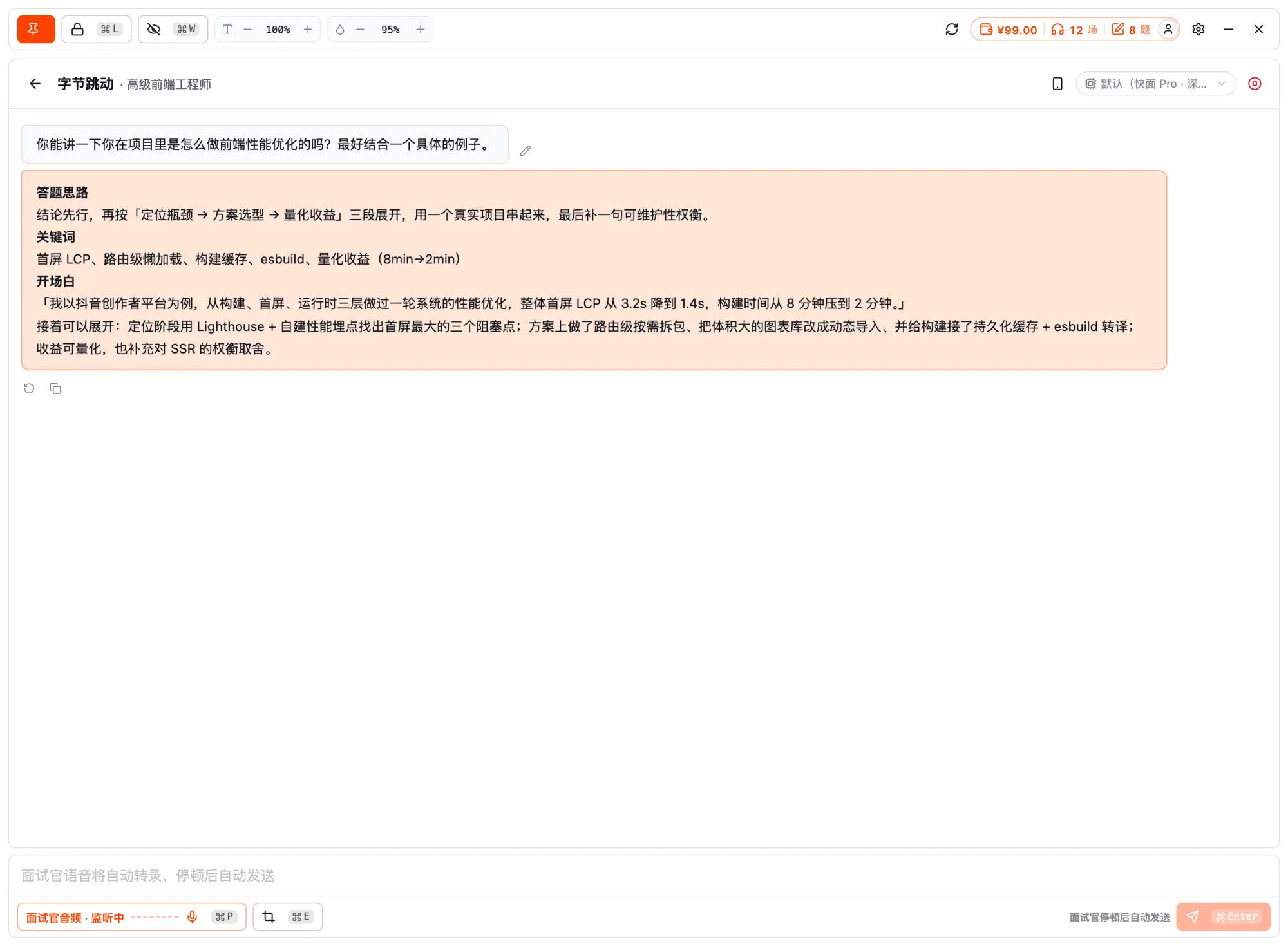
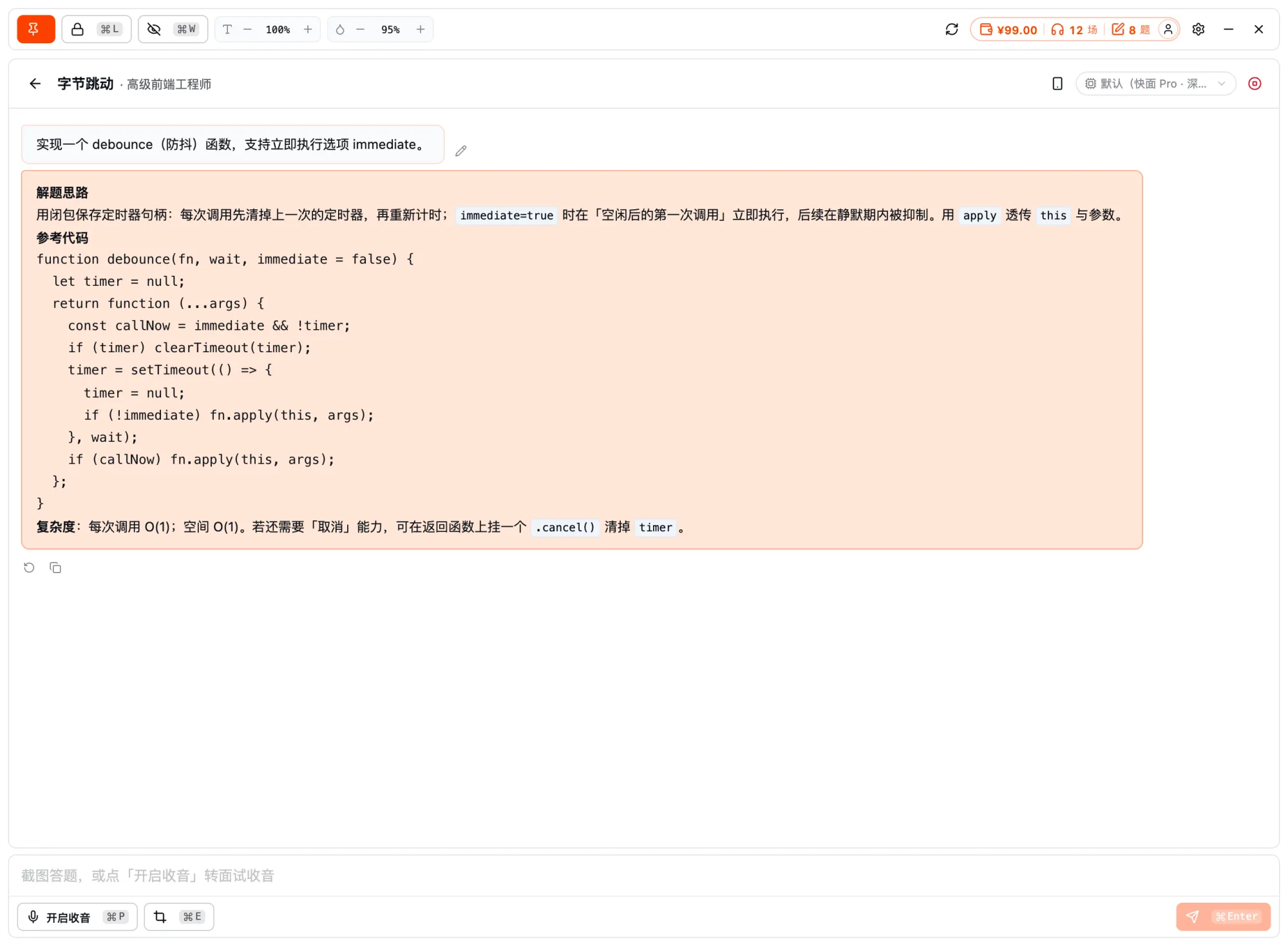
面试开始后,客户端自动捕获面试官音频、云端实时转录,秒级在屏幕上给出答题思路、关键词和开头。遇到要看屏的题,按 ⌘E 截图一并发给 AI。
- 系统音频捕获 + 云端实时转录
- 秒级思路 + 关键词 + 开头
- ⌘E 截图把题目喂给 AI
Interview assist · Live listen and answer
Answer ideas in seconds⌘E 截图
3
余光看提示,从容应答
窗口贴在屏幕边缘、透明度可调,余光扫一眼组织语言即可;全程对屏幕共享与录屏隐身,对面和录像里都看不到它。
- 贴边悬浮,不挡视线
- 透明度随手调
- 全程对共享 / 录屏隐身
Interview assist · Live listen and answer
透明度可调
它不替你面试,只在你需要时递上思路——把临场的紧张,换成有底气的从容。
FAQ · Frequently asked questions
FAQ
Have other questions? Email us at hello@kuaimianai.com
Will the interviewer notice the copilot?
The desktop app is a frameless transparent window with system-level capture protection for screen sharing and recording — even sharing your whole screen, Kuaimian never appears in the interviewer's view or recordings.
How does it hear the interviewer?
It captures system audio (the interviewer's voice) and recognizes it locally — it never grabs the meeting app's microphone or interrupts the conversation.
Are the answers generic or tailored to me?
It answers around your resume and target job description, giving "approach + keywords + an opening line" that fit your own experience, not generic boilerplate.
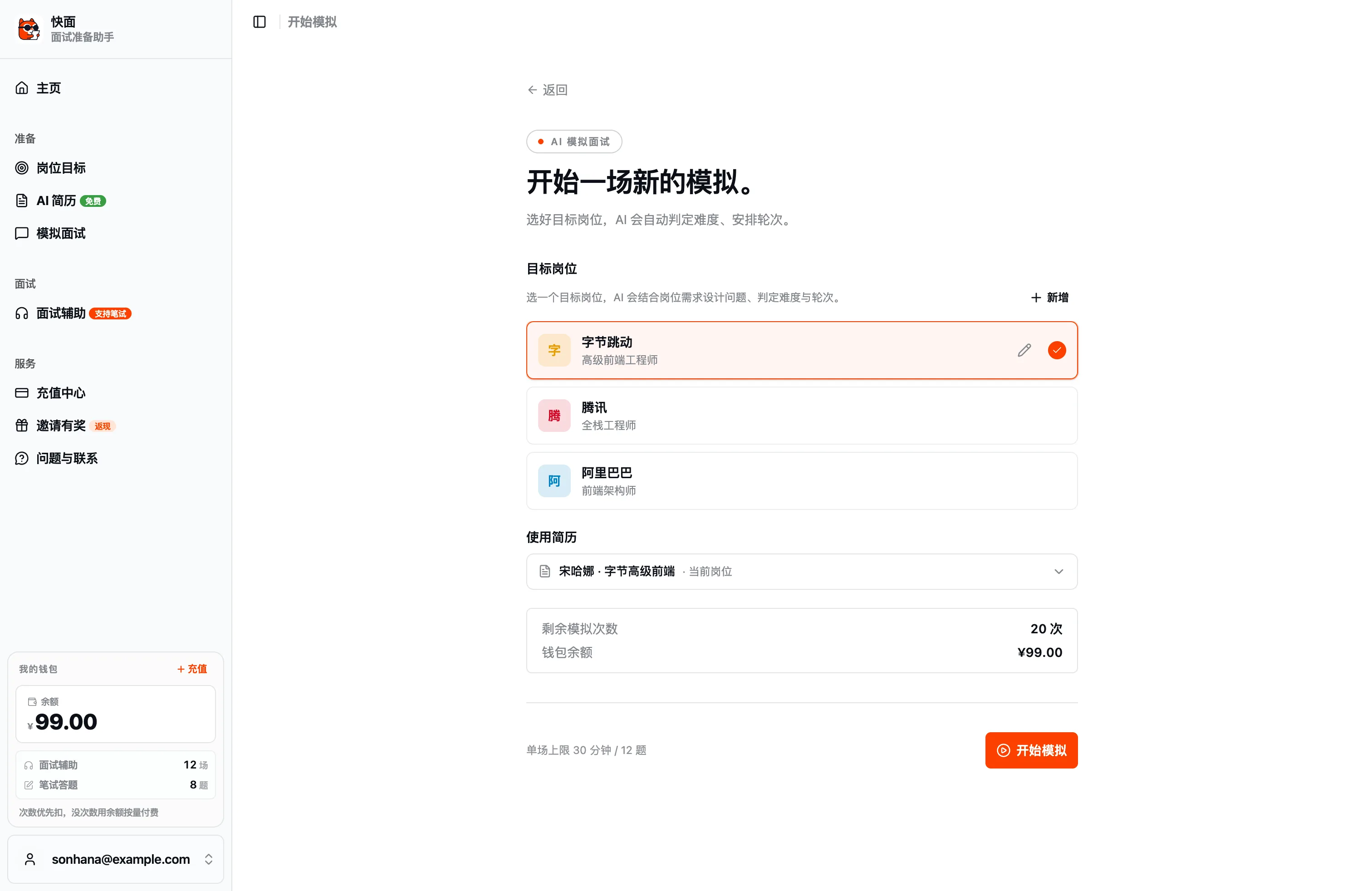
Ready?
For your next interview, use Kuaimian
Start free: try resume optimization and mock interviews to get a feel for how the AI responds, then decide whether to top up on interview assistance.